Forget about queues, job schedulers, or cluster configs. Just import, submit, and simulate.
Automatically Generate GIFs from Your Simulation
You can now easily create animated GIFs directly from your simulation outputs! This feature offers a fast and convenient way to visualize your results without any additional post-processing.
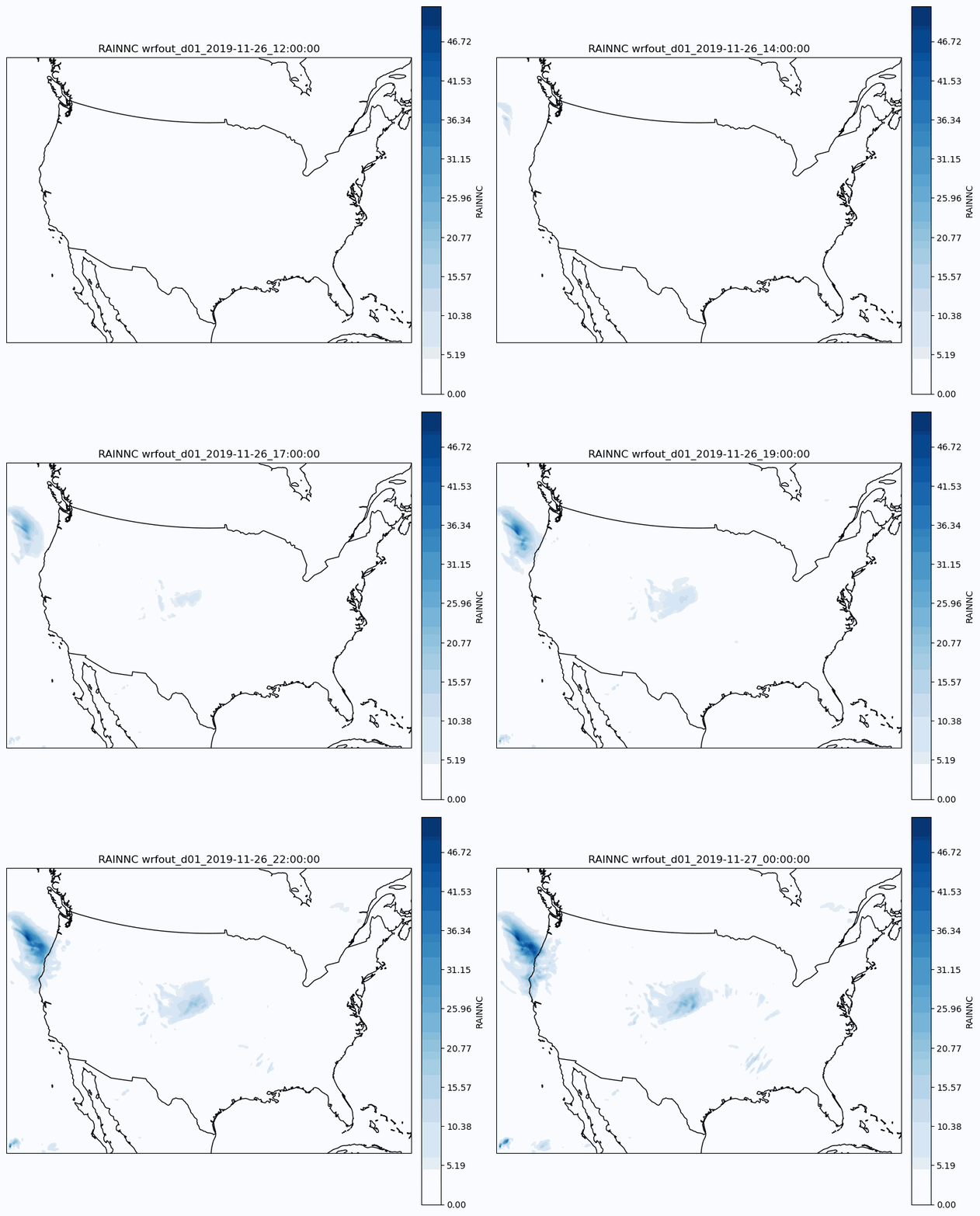
Let’s continue from the quick-start tutorial, where the following code snippet demonstrates how to enable GIF generation:
"""WRF Simulation."""
import inductiva

# Allocate cloud machine on Google Cloud Platform
cloud_machine = inductiva.resources.MachineGroup( \
    provider="GCP",
    machine_type="c2d-standard-16",
    spot=True)

# Initialize the Simulator
wrf = inductiva.simulators.WRF( \
    version="4.6.1")

# Run simulation
task = wrf.run( \
    input_dir=input_dir,
    case_name="em_real",
    # generate GIF with the RAINNC values
    gen_gif=True,
    gen_gif_variable="RAINNC",
    gen_gif_files=[
        "wrfout_d01_2019-11-26_12:00:00",
        "wrfout_d01_2019-11-26_13:00:00",
        "wrfout_d01_2019-11-26_14:00:00",
        "wrfout_d01_2019-11-26_15:00:00",
        "wrfout_d01_2019-11-26_16:00:00",
        "wrfout_d01_2019-11-26_17:00:00",
        "wrfout_d01_2019-11-26_18:00:00",
        "wrfout_d01_2019-11-26_19:00:00",
        "wrfout_d01_2019-11-26_20:00:00",
        "wrfout_d01_2019-11-26_21:00:00",
        "wrfout_d01_2019-11-26_22:00:00",
        "wrfout_d01_2019-11-26_23:00:00",
        "wrfout_d01_2019-11-27_00:00:00",
    ],
    on=cloud_machine)
GIF Generation Parameters
Customize the GIF output using these parameters:
| Parameter | Type | Description |
|---|---|---|
gen_gif | bool | Enables GIF generation. Default is False. |
gen_gif_variable | str | The variable to visualize (e.g., "RAINNC"). Default is "RAINNC". |
gen_gif_files | List[str] | Ordered list of WRF output files to include as frames. |
gen_gif_output_dir | str | Directory to save the generated GIF. Defaults to the current directory. |
gen_gif_fps | int | Frames per second. Controls the playback speed. Default is 3. |
This feature is ideal for quick diagnostics, presentations, or simply gaining a visual understanding of your simulation results.