Run massive simulations when your client needs it. Pay nothing when they don’t.
v0.18.11
Release Date: 28 November, 2025
🆕 Highlights
- New simulators gprMax and SWMM. (→ Learn more)
- Improvements on the User Experience: Reorganization of the Console navigation, a redesigned Profile page, and system metrics for GPU. (→ Learn more)
- Documentation & Resources: New entry in the SWASH FAQ clarifying logs behavior and the
gfortran_unbuffered_allparameter on Inductiva’s cloud machines. (→ Learn more)
✨ New
Simulators
Inductiva integrated two new simulators into the platform, adding capabilities for subsurface electromagnetics and urban hydrology modeling.
| Simulator | Description | Learn More |
|---|---|---|
| gprMax (3.1.7) | An advanced FDTD-based simulator for ground-penetrating radar, enabling high-fidelity electromagnetic modeling of subsurface structures, materials, and wave propagation. | Guide → |
| SWMM (5.2.4) | EPA’s industry-standard Storm Water Management Model for simulating runoff, drainage networks, flooding scenarios, and urban hydrology at city scale. | Guide → |
🚀 Improvements
🧭 Console Navigation Reorganization
We've redesigned the console's navigation to make it easier and faster to access the tools you need. Key actions are now available from anywhere in the console, reducing clicks and improving your workflow.
Essential actions have moved to a persistent top-right menu bar that remains accessible regardless of which screen you're viewing.

Quick Access Items - easy access shortcuts:
- Dashboard – View live status of running machines and tasks at a glance;
- Achievements – Track your milestones and earned achievements;
- Current Balance & Buy Credits – Monitor your credit balance and top up instantly;
- Notifications – Stay updated with real-time alerts about your jobs and system events;
- Discord – Direct link to Inductiva's Discord server for community support and real-time assistance.
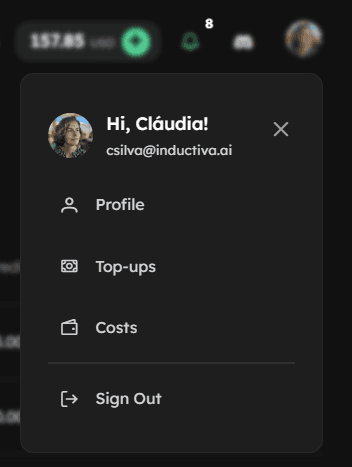
Account Menu - Access account-related features through the account icon dropdown:
- Manage Profile (NEW - see below)
- Top-ups – View your credit purchase history;
- Costs – Review monthly spending broken down by compute, storage, data transfer, and Inductiva Orchestration Fee (learn more about costs →).
These changes reflect our commitment to making the console more intuitive and efficient for your computational workflows.
🪪 Revamped Profile screen
We’ve completely redesigned the Profile screen to give users clearer visibility into their account details and to support new platform capabilities.

What’s new:
Centralized Account Overview
All essential information about your account is now in one place. You can quickly see:
- Your price plan;
- Your usage quotas;
- Any applicable fees;
- The organization you belong to (if any).
Previously scattered across different areas, this data is now consolidated for full transparency.
Location Settings for Better Performance
You can now set your country and region directly in your profile.
Keeping this information up to date ensures more efficient simulations: the platform will soon automatically select the nearest datacenter by default, reducing latency and improving performance, so you can already get ahead by updating your location information now!
Discord Handle for Faster Support
You can now add your Discord handle. This allows us to match your messages with your Inductiva account, speeding up support and improving issue resolution quality.
📊 System Metrics: Now with GPU Monitoring
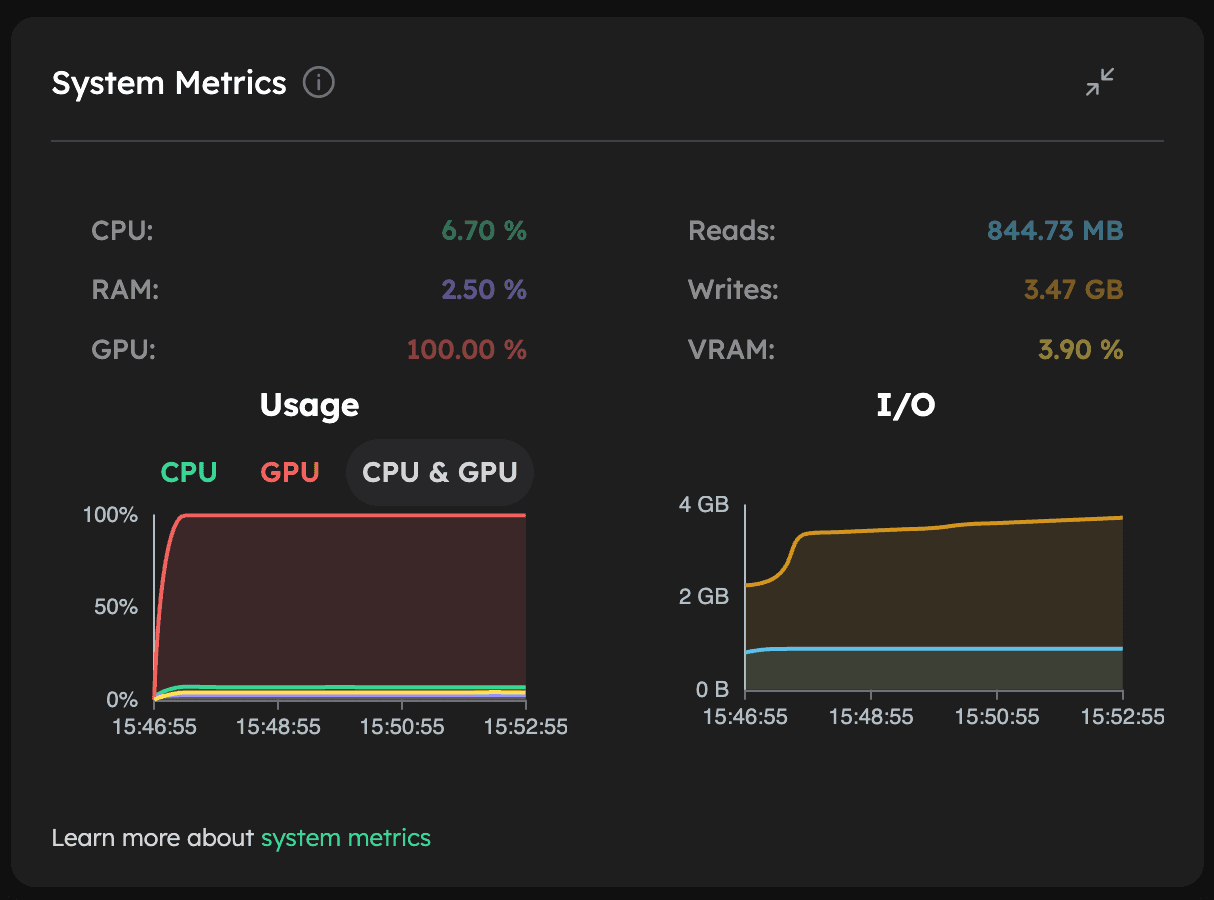
The System Metrics on the Console, available under Task Details → Runtime subtab, now shows real-time GPU utilization and VRAM usage when a GPU is active, complementing the existing CPU and RAM metrics.
These updates make it easier to monitor your system resources, optimize simulations, and diagnose performance issues.
🐛 Bug Fixes
- Fixed: When the machine group was terminated right after the task terminated, there was an edge case in which the status was incorrectly updated and the original task's output was overwritten with an empty zip file.
📚 Documentation & Resources
New SWASH FAQ Entry: Logs Behavior Clarification
We’ve added a new entry to the SWASH FAQ regarding log generation when tasks fail on Inductiva’s cloud machines:
- On local machines (macOS or Windows), SWASH failures still produce output files like
errfileorprint. - On Inductiva, these files may occasionally be missing due to the Fortran parameter
gfortran_unbuffered_all, which controls unbuffered file writing:- Local machines:
True→ logs always written - Inductiva cloud machines:
False→ best performance, but logs may not appear after a failed task
- Local machines:
You can choose the behavior that best fits your workflow:
- Keep default (
False) for optimal performance (occasional missing logs expected) - Set to
Trueto ensure logs are always written (may reduce performance for disk-intensive simulations)
See the new SWASH FAQ entry for guidance on gfortran_unbuffered_all here.
🔜 Looking Ahead
Want to influence our roadmap? Reach out on Discord - feedback
🙏 Appreciation
A heartfelt thank you to our all Inductiva contributors and users - your support and expertise make Inductiva possible!
Big thanks to these amazing users for their contribution:
NHC Water for catching an edge case (bug) — your feedback helped us improve the platform!
Zhiling Liao and Leonora Pereira for bringing to our attention the behavior of missing logs when SWASH tasks fail on Inductiva’s cloud machines. Their collaboration during troubleshooting helped us identify that this is related to the gfortran_unbuffered_all parameter controlling unbuffered file writing, and guided the creation of a new FAQ entry to clarify this behavior for all users.
💬Feedback & Community
Your feedback fuels our next breakthroughs share your ideas for the roadmap, report bugs, or help test a new simulator. We’re all ears! Reach out through our contact form or our Discord to share feedback, connect with peers, and learn from specialists across diverse domains.
📦 Installation & Upgrade
- To update the Inductiva python package:
pip install --upgrade inductiva